How I digitized 300 Blue Apron recipe cards in a day using Claude Code
We've been Blue Apron customers since 2015. It was fantastic in the Bay Area with fresh ingredients and helped us expand the types of food we made at home. It stayed yummy in Philadelphia when our first kid was born and our brain power for planning weeknight meals disappeared. Those meal kits taught us techniques, introduced us to ingredients we'd never have bought ourselves, and gave us a growing stack of recipe cards that we found ourselves coming back to.
Then Blue Apron was acquired by private equity in 2023.
The decline was gradual but unmistakable. Ingredient quality dropped. Recipes became less creative. The online recipe archive which was once open and searchable became increasingly locked down. We finally canceled our subscription last month with no plans to go back.
But their recipes we've gathered over the years are still delicious.
We have hundreds of cards stuffed above the microwave, and we regularly dig through them looking for favorites. The problem is, they're a mess. Every time we want to make "that pasta dish we loved," it turns into an archaeological expedition through a disorganized paper stack. For a period, we tried using a 3-ring binder, but that became unwieldy.
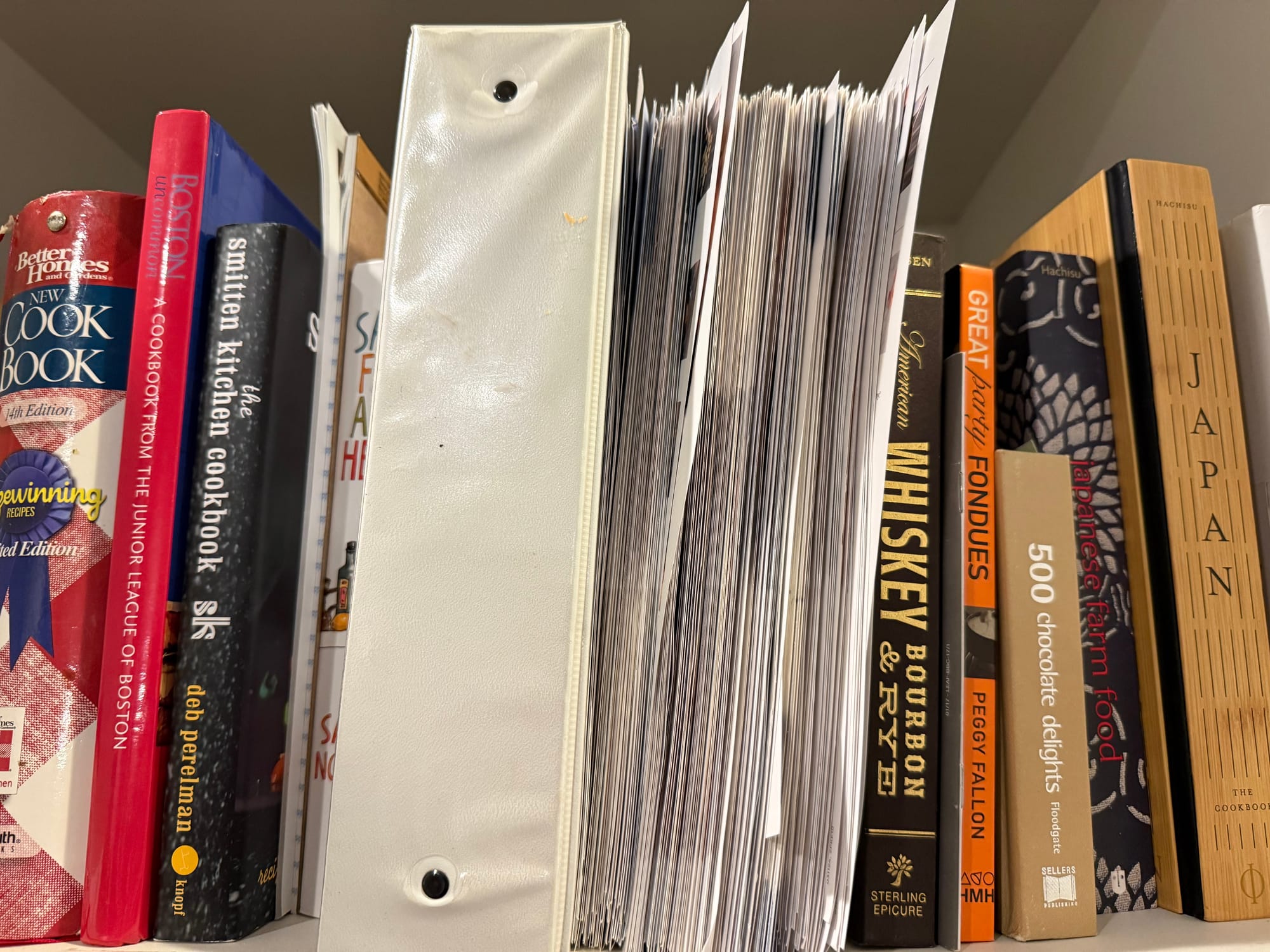
I'd been meaning to digitize them for years. The task always felt too tedious: type up ingredients, transcribe cooking steps, hope I don't make a mistake, repeat. Multiply that by a few hundred recipes and I'm looking at dozens of hours of mind-numbing data entry. Also - I have more important things to do. We both work demanding full-time tech jobs and juggle three kids under the age of eight.
Then I resigned from my job at Kong to take some extended time off over the holidays before my next big thing starts in January. Maybe - just maybe - I could work smarter by getting my hands dirty as a developer again and vibe code a solution?
Good vibes or bad vibes?
As someone who's spent years in the Kubernetes & JavaScript worlds, I have strong opinions about tooling, systems design, and architecture. Could an AI understand what I wanted and produce something I'd actually use?
For this? hell yeah. I may still be an old man yelling at the cloud when it comes to the AI bubble, but there's real value in these technologies when used appropriately. And for this - effectively throw-away code to solve a just-for-me problem - it's a perfect fit.
The Prompt
Here was my initial pitch to Claude Code:
I have hundreds of Blue Apron recipe cards. Each has a front (hero photo, title, ingredients) and back (step-by-step instructions). I want to photograph them and turn them into a searchable website. In the future, I will want to export the recipes into AnyList. I have taken photos of three of the recipe papers, front-and-back, and put them in the test-data folder for you to analyze.
Let's see how things turned out 😄
First 10 minutes: The Foundation
Claude Code didn't just write a script. It proposed an architecture of TypeScript code broken down into three main functional units:
- Photo processing - Convert iPhone HEIC photos to JPEG
- Card pairing - Assume photos are taken front-back-front-back in order, copy the images to a separate directory for manipulation.
- Vision extraction - Use Claude's vision capabilities to OCR and structure the data into JSON for later programmatic processing.
By the end of the first 10 minutes, I had working code that takes images of a recipe card and extract structured data:
{
  "title": "Garlic-Caper Chicken",
  "subtitle": "with Creamy Calabrian Zucchini & Orzo",
  "cookTimeMinutes": { "min": 30, "max": 40 },
  "servings": { "min": 2, "max": 2 },
  "ingredients": [
    { "quantity": "2", "unit": null, "item": "Boneless, Skinless Chicken Breasts" },
    { "quantity": "2", "unit": "cloves", "item": "Garlic" },
    { "quantity": "1", "unit": "Tbsp", "item": "Capers" }
  ],
  "steps": [...]
}
Physical recipe card → structured JSON data via Claude Vision
Peeking at the generated prompts
Claude was busy doing it's thing, so I took a deeper look at what it was crafting. While I've used ChatGPT, Claude, and other chat interfaces, I haven't had the opportunity to spend extensive time building powerful prompts. Seeing what Claude Code had come up with to tell Claude Vision what to do was interesting to see the level of detail, context, and information it felt necessary.
Extract all information from this Blue Apron recipe card FRONT.

  Return JSON with this exact structure:
  {
    "title": "Recipe Title",
    "subtitle": "with Description Text" or null,
    "cookTimeMinutes": { "min": 30, "max": 40 },
    "servings": { "min": 2, "max": 2 },
    "ingredients": [
      {
        "quantity": "2",
        "unit": "breasts" or null,
        "item": "Boneless, Skinless Chicken Breasts",
        "notes": "or large for 4 servings" or null
      }
    ],
    "pantryItems": ["Olive Oil", "Salt", "Pepper"],
    "chefsNotes": "Text from Chef's Note section" or null,
    "cookingTip": "Any cooking tips mentioned" or null
  }

  Important:
  - Extract ALL ingredients shown, including small icons
  - Include quantity and unit separately (e.g., "1 cup" -> quantity: "1", unit: "cup")
  - If there's a range for servings/time, capture both min and max
  - Look for "From Your Pantry" section for pantry items
  - Capture any customization options in the notes field
Initial generated prompt for Claude Vision to extract key information
This helped me refine my own prompting efforts to be get better results. I've learned that a pro-tip is to use Claude to help you build a highly detailed prompt. Then go run it in a clean context window.
Building a simple website to render recipes
Next came the static website. I gave very little guidance to Claude [I know... know. context is key], but I was being lazy.
Look into paprika import format as well as google's receipe schema markup (https://developers.google.com/search/docs/appearance/structured-data/intro-structured-data) so you can build a simple website
  that hosts all our receipes in an easy-to-navigate website for ipad/iphone UI. For the website I'd like to have a way to show the front/back images of the receipe as an option as well.
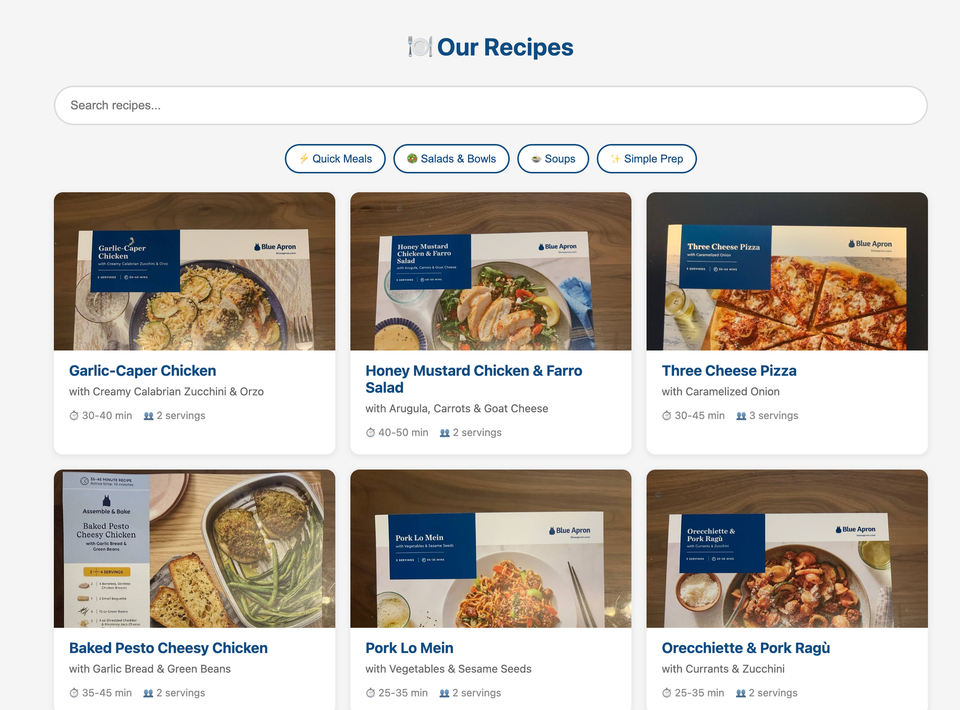
Claude Code generated a mobile-friendly site absolutely faster than I could featuring:
- A searchable recipe index
- Collapsible sections showing the original card photos
- Protein variation support (many Blue Apron recipes offer salmon/shrimp/chicken options)
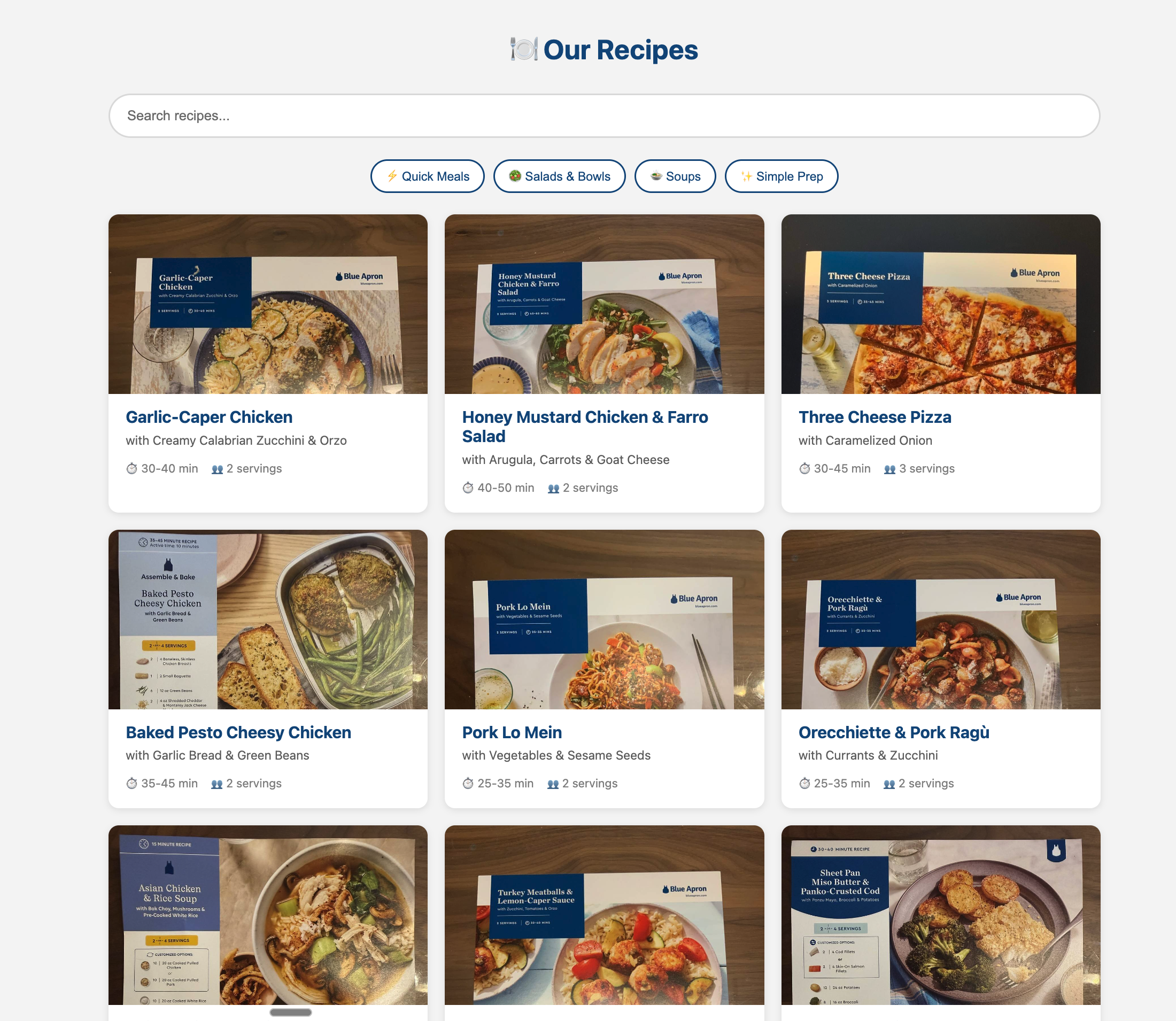
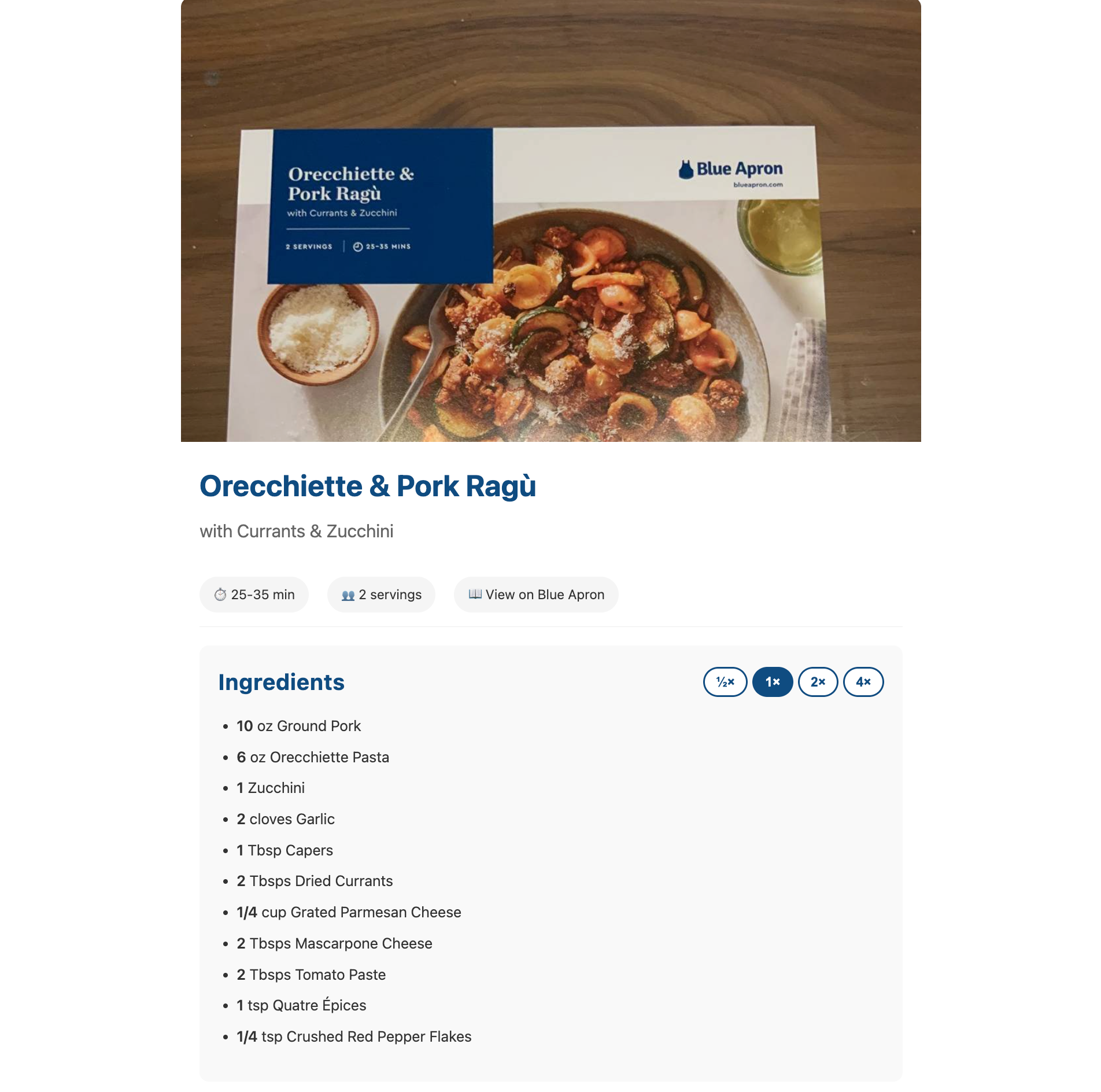
I'm not gonna lie. The website code itself (CSS & HTML structure) was reminiscent of 2005 and made me cringe. It worked, it met my need. But I would be embarrassed if this was my code. But we're not here to judge - we're here to get this project done!
I asked Claude to setup a git repo, build GitHub actions, commit the changes, and push to a GitHub repo while I quickly wired up Cloudflare to host the site.
Not bad for 30 minutes.
Fixing initial issues & adding features
As I started exploring the handful of recipes that were exported to the website, I realized that there was a major problem. The ingredients weren't matching with the cooking steps. It seemed that somehow recipes were being swapped.
I asked Claude to check its work and pretty quickly it realized that while we had agreed I would provide the photos sequentially, front-to-back, front-to-back, we didn't agree on how it would know which photo was which. I'm was lazy and just taking a ton of photos and dropping them into a folder.
1104824D-837E-4E42-9595-15595E66A4E8.heic
115D001F-978A-4023-9A32-ECBB16CC3578.heic
2F63F4E5-A8DC-48BA-B8C1-3D41D079240F.heic
3C6DAC45-E04C-4F13-BE78-2080F9F94A51.heic
Example photo file names. Can you guess which recipe images go with others?
Claude busily went to work chasing down a few directions of trying to use file names or file timestamps to list the photos. Neither worked reliably for pairing front/back images. Claude then proposed doing two-iterations of Claude Vision process [what does it think, tokens are free?] to match the photos together then a separate pass to extract the data.
I stopped its flailing because I had an idea – while we couldn't trust filenames, file timestamps, etc – we could trust the EXIF metadata that's in every image. That metadata includes the Phone's timestamp when I took the photo. As long as I always take the photos in the right order [which I did most of the time!], Claude can rely on that timestamp.
Claude hailed me as a genius, updated its code, and the problem was solved.
There were a few other gotchas I coached Claude around:
- "When batch is run, we should append to the recipe collection rather than overwriting"
- "We shouldn't need to extract the front and back for recipes we've already processed when running the batch job again with new photos. Improve the performance of the extraction"
- "I noticed a number of the photos of the recipe cards are horizontal due to how I took them with my phone. Make them go vertical. Do that both in the initial conversion step as well as post-process all of the images I already have"
- "Include quantity and unit separately (e.g., "1 cup" -> quantity: "1", unit: "cup")"
- "If there's a range for cooking time, capture both min and max"
- "Include "From Your Pantry" items (like Olive Oil, Salt, Pepper) as regular ingredients"
Then finally, one major big set of improvements and I called it a morning:
Build a plan for additional features or improvements to the app.

  1. Many recipes talk about 2 or 4 servings. Standardize on only extracting & using the 2-serving information. We have a way to change the serving size on the fly in anylist
  and in the website already
  2. Many of the recipe steps have more than one sub-step identified by bullet points. You need to make sure that they render in the website as list items
  3. Many of the recipe steps have more than one sub-step identified by bullet points. You need to make sure they render in anylist as bullet points on new lines
  4. I want to add the recipe photo to the website too. Instead of relying on the blueapron website for the image, let's extract the recipe image from the front
  5. Let's use the same receipe image from the front for the anylist export
Integrating into our real life
The website was nifty and helped me quickly visualize and test the extraction process. But do we really need another recipe & grocery list app in the world?
My wife and I use AnyList for storing our regular recipes and managing grocery lists, packing lists, etc. It's not perfect, but it gets the job done and it's how we run our house. Could I export these recipes directly there?
I wasn't surprised to find out that AnyList has no published API. But 👏 to Max Isom (@codetheweb) for their reverse engineered AnyList API: https://github.com/codetheweb/anylist.
I directed Claude Code to find anylist npm package and built an export function:
- Recipes pushed to AnyList with ingredients, instructions, and photos
- Automatic deduplication prevents re-uploading existing recipes
- Recipes are organized into a "Blue Apron" collection
- Hero images are fetched from my own hosted recipe website
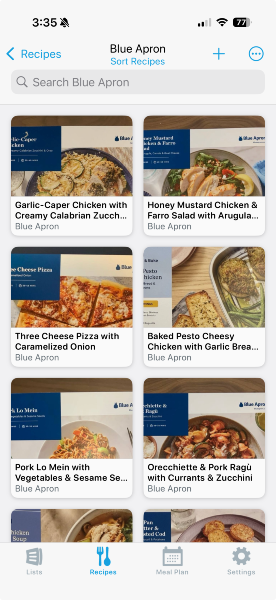
🥳 The end-to-end flow is working! I've got 8 recipes converted and I'm feeling great. Then reality sinks in.
Brute force data collection
AI wrote all the code, but I still had the job that only I could do. I spent the rest of the afternoon taking pictures of recipe cards, front-and-back.

It was certainly tedious - my least favorite part of the whole project! But it was fun seeing all the recipes again and reflecting on some of the favorites through the years. I also noticed how their formatting & design shifted over the years - Blue Apron recipe cards are much glossier, flashier, and with more cross-selling than the original ones. Also - wow - they have a number of recipes that are identical with just one or two ingredients swapped. I always knew this, but it wasn't until I saw them all at once that I realized it.
I ran one final batch export job, synced to Anylist, commited changes and pushed to GitHub & Cloudflare.
The Final Tally
- 600 photos processed
- 300 recipes digitized into JSON
- $10.64 in Claude vision tokens
- ~2,800 lines of TypeScript
- Live website hosted with CloudFlare
- AnyList sync working
